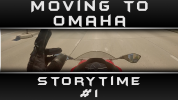
Thumbnails.

Moto Verse

Wannabie Member
I've been using this thumbnail template for quite some time. Even on my past gaming channel.

I would love some feedback / opinions if they are good, bad, tacky, or whatever. Be honest.

Here's a few, Thanks :)

Edit: Wow they are big on the screen. Whoops? I think I fixed it with thumbnails.
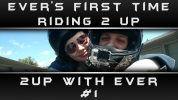
2upever.png DuckWherlies.png storytime1.png
 
I agree that it is too much text! Maybe just try a frame with your logo in the corner and overlay that on an image from the video? What did you use to make your thumbnails as I am looking for some for my vids :P
 
I agree that it is too much text! Maybe just try a frame with your logo in the corner and overlay that on an image from the video? What did you use to make your thumbnails as I am looking for some for my vids :p
I've since changed my thumbs, Just a bit. Less text area, and started adding images that relate. lol
064a81d6f9.jpg
 
I try to make my thumbs striking and always numbered, with a relevant graphic like a photo or drawing.
vlog 15.jpg Vlog 7.jpg

The focus is to make them distinctive enough to not be confused with each other as well as stick out from the crowd. But also consistent so people know the style.

So with that said, I think you could dedicate more space to text, and maybe even break the boxes you have going on.
You can change fonts and colors all you want as long as the general layout and approach is the same.
 
So how can you tell YouTube to use your own created Thumbnail? Because when I upload a Video, youtube seems to just pick 3 random shots from my video, for me to choose One... usually I'm not really happy with any of them! :D

In answer to the OP, I think less wording, with an eye-candy photo.... less is more! :D
 
So how can you tell YouTube to use your own created Thumbnail? Because when I upload a Video, youtube seems to just pick 3 random shots from my video, for me to choose One... usually I'm not really happy with any of them! :D

In answer to the OP, I think less wording, with an eye-candy photo.... less is more! :D
On the bottom when uploading, you can click, "Custom Thumbnail"
 
On the bottom when uploading, you can click, "Custom Thumbnail"

Brilliant, many thanks! Must have overlooked this. :cool:

......so that'll leave me with ANOTHER dilemma, after finally choosing all the content for a vLog... how the custom Thumbnail for that vid should look. Decisions. :)
 
Brilliant, many thanks! Must have overlooked this. :cool:

......so that'll leave me with ANOTHER dilemma, after finally choosing all the content for a vLog... how the custom Thumbnail for that vid should look. Decisions. :)
I usually create the thumbnail while the video is either Rendering, or Uploading. both take roughly 20 minutes so, enough time to get that done without delaying the video.
 
there are tons of free thumbnail generating programs that are easy to use. and i agree with the previous sentiment about having too much text in the thumbnail. keep it sweet and to the point.
 

Winners Video

Website Supported by Ipswich SEO

Latest posts

Back
Top