

Arctic Pride
L Plate Member
Alright this is annoying as hell. I realize this is definitely a problem with the cameras ability to process the multiple light sources but I should be able to fix this in post!!! Thankfully the footage around the Nurburgring isn't as blown out 
Any clues on how to only selectively adjust the area around the windows which is blown out? In Photoshop there is a feature called "Shadows And Highlights" which when imported works great but I can't find an effect like this in Vegas
I've done some research and found a thread on the Color Curves effect but can't seem to get it right
HALLPPPPP
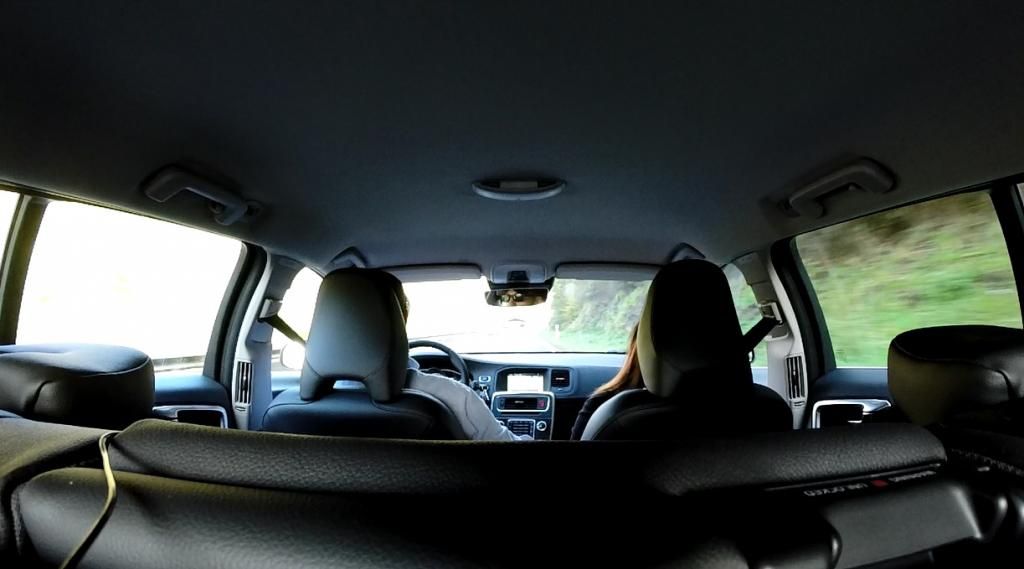
Any clues on how to only selectively adjust the area around the windows which is blown out? In Photoshop there is a feature called "Shadows And Highlights" which when imported works great but I can't find an effect like this in Vegas
I've done some research and found a thread on the Color Curves effect but can't seem to get it right
HALLPPPPP


