Premiere Pro Cs6 Rendering.

Marcus

Tremour Sphere
Hey guys. im pretty experienced when it comes to editing but i've never uploaded using Premiere pro to youtube before. i noticed a 1080p video on H.264 would be 2GB upload. and if i use the Youtube 1080p setting its only 550mb which is a massive difference.
does anyone know if the youtube 1080p is good for youtube or is it a shit setting and i should just use my own preset?
Thanks alot.
 
I use the H.264 setting, but never really look at the size of my videos. I will try to check it out when I get home from work and see what my settings are. Been using them for a few years so I like what it does.
 
I use the H.264 setting, but never really look at the size of my videos. I will try to check it out when I get home from work and see what my settings are. Been using them for a few years so I like what it does.
thanks man
 
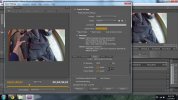
Here are my settings. My vlogs seem to run 1-2.5GB depending on length
 

Attachments

  • ss.jpg
    ss.jpg
    459 KB · Views: 203
I use a custom setup. I wouldn't use the presets. In general the higher the mbps, the higher the video quality and the higher the storage needed.
 
With Premiere Pro there are a lot of settings that influence the "quality" of a render.
HiBit Rate, Low Bit Rate, Use High Quality flag etc etc.

Where most people go wrong is the encoding bit rate target and set this way too high! For starters encoding at a higher bitrate than the footage was originally recorded at is a mistake most make in the belief that it will produce a better quality video.
Even RJ in his interview posted on here believes in this myth.

If you up the bitrate encoding over the rate of the original footage all you are doing is increasing your render times and footage file size. It also adds interpolation too the footage and can make the render poorer in quality.

See here for recommended settings for youtube

https://support.google.com/youtube/answer/1722171?hl=en-GB

All action cameras AFAIK on the market are using VBR (Variable Bit Rate) and another common fault is people attempting to convert their VBR to CBR. Not a major issue but again increases render time and can add a bit of nasty lag sometimes.

So check the bit rate of your video
Set the encoder to export at the recommended bit rate if need be (or slightly above).

BTW those of you about to say well I upload at 1023873248340837402 bit rate, well all your doing is taking extra time for your upload as YouTube will resample bit rates that are too high and in most cases your video may end up worse.

Hope that helps some.

 
Not sure there's that many options in FCPX, you take what you're given, ProRes being the common one, other ones are much higher bitrates. RJ uses the ProRes 422 (IIRC) when editing which is the FCPX "default" I think, it's what you export as that you have little more control over (FCPX), I export as H.264 and encode for better quality not faster, although stuffed if I know what the differences are...

Wasn't there a thread on here that said try to exceed YT's specification because is re-encodes anyway? So if you match their settings, they will re-encode and there's a chance of loosing quality be re-encoding. However, all things said about RJ, he does have some of the best looking footage out there.
 
i use h264 too.. sizes around 1-2gb,
i think the youtube one is just more compressed... If youre pressed for bandwidth, use the smaller option, otherwise, more is better?
 

Winners Video

Website Supported by Ipswich SEO

Latest posts

Back
Top