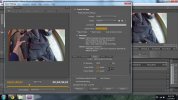
With Premiere Pro there are a lot of settings that influence the "quality" of a render.
HiBit Rate, Low Bit Rate, Use High Quality flag etc etc.
Where most people go wrong is the encoding bit rate target and set this way too high! For starters encoding at a higher bitrate than the footage was originally recorded at is a mistake most make in the belief that it will produce a better quality video.
Even RJ in his interview posted on here believes in this myth.
If you up the bitrate encoding over the rate of the original footage all you are doing is increasing your render times and footage file size. It also adds interpolation too the footage and can make the render poorer in quality.
See here for recommended settings for youtube
https://support.google.com/youtube/answer/1722171?hl=en-GB
All action cameras AFAIK on the market are using VBR (Variable Bit Rate) and another common fault is people attempting to convert their VBR to CBR. Not a major issue but again increases render time and can add a bit of nasty lag sometimes.
So check the bit rate of your video
Set the encoder to export at the recommended bit rate if need be (or slightly above).
BTW those of you about to say well I upload at 1023873248340837402 bit rate, well all your doing is taking extra time for your upload as YouTube will resample bit rates that are too high and in most cases your video may end up worse.
Hope that helps some.